Ye Mera Business™ · by Sahasra Synergy
Your Business, Online
in One Click
A complete guide to building a mini-website and QR profile that any customer can reach, trust, and act on — instantly.
Why every business needs a digital presence
Picture a customer who has just heard your name. Maybe a friend recommended you, maybe they walked past your place of business, maybe they saw your number scribbled on a flyer. In that moment they want to do one simple thing: find you and reach you. If they cannot do that in a single tap, the moment passes — and most of the time it never comes back.
This is the quiet problem facing businesses of every size in India today. It is not a problem of quality, effort, or even turnover. You can be doing a crore or more in business and still hit an invisible ceiling, simply because reaching you takes too many steps. A customer has to ask around for your number, type it manually, hope it is current, then separately search for your address, your timings, what you actually offer, and whether anyone trusts you. Every extra step loses people.
The cost of being hard to reach
- Lost walk-ins and referrals. A happy customer wants to share you with a friend, but the only thing they can forward is a phone number with no context.
- Invisible at the moment of intent. When someone is ready to buy or book, even a 30-second delay in reaching you sends them to a competitor who was one tap away.
- No trust signal. A bare phone number says nothing. People hesitate to call a number they cannot place — there is no face, no photo, no reviews, no proof you are real.
- Stuck at the next level. Word of mouth has a natural limit. Without something shareable, every new customer costs you the same effort as the last — so growth plateaus even when demand exists.
- A website feels out of reach. Traditional websites are expensive, slow to build, and need constant upkeep. So most small businesses simply go without — and stay invisible online.
The gap is not ambition. It is the lack of a single, trustworthy link — one place that shows who you are, what you offer, and how to reach you, that any customer can open in one click.
The solution: a mini-website and QR profile that works for you
Ye Mera Business (powered by Sahasra Synergy) closes that gap. You fill in your details once, and you get a clean, professional mini-website plus a QR code customers can scan or tap to open it. One link carries everything: your name and photo, what you offer, your prices, your timings, buttons to call or message you on WhatsApp, the ability to book an appointment, and a place for customers to leave reviews — all of it landing back with you.
How it grows your business
- One link, everywhere. The same link works on your visiting card, your signage, WhatsApp status, Instagram bio, and Google. Print the QR once and every customer can reach you the same easy way.
- Turns interest into action instantly. "Call now" and "Chat on WhatsApp" buttons mean a curious visitor becomes a conversation in one tap — no typing, no searching.
- Builds trust on sight. Your photo, a clear description, your services, and real customer reviews make you look established and credible — the way a much larger business would.
- Captures every lead. Enquiries, booking requests, and reviews all arrive in one Inbox, so nothing slips through the cracks and you can follow up fast.
- Makes word of mouth do more. Now a happy customer forwards a complete, shareable profile — not just a number — so each recommendation does far more work.
- Affordable and effortless. It starts free for 15 days and stays inexpensive. There is nothing to install and no technical skill required — if you can fill a form, you can run it.
In short: it removes every step between a customer hearing about you and acting on it. That is exactly the friction that keeps good businesses from reaching the next level.
Every feature, explained
Your profile is organised into clear sections. You can fill as many or as few as you like — even the basics make a complete, shareable page. Here is what each part does and why it matters.
Basics — your business identity
This is the core information shown at the very top of your public page: your business name and owner name (the two essentials), your category, business hours, a short "About" description, and a brand color that sets the look of your header and buttons. You can also upload a business logo and an owner photo. The brand color and photo are what make the page feel like yours rather than a template — a small touch that signals professionalism.
Contact & Social
This is how customers reach you. Your phone and WhatsApp numbers power the "Call now" and "Chat on WhatsApp" buttons — the most important actions on the whole page. You can also add your email, business address, and links to Facebook, Instagram, YouTube, LinkedIn, or your website. Anything you leave blank simply stays hidden, so the page always looks tidy.
Services & Products
List what you offer in two ways. Services appear as a simple, scannable checklist ("Our specializations"). Products appear as a neat grid of cards, each with a name, price, and short description. This lets a service-based business list its offerings as services while a product-based business shows priced items as products — whatever fits you.
Portfolio, Team, and FAQ
Three sections that build credibility, all working the same easy way — fill a small form, add the item, save. Portfolio shows off your work with titled photos. Team introduces your staff with names, roles, and optional photos. FAQ answers common questions up front, so customers get clarity without having to ask.
Posts & Docs
Keep your page fresh and useful. Set an announcement banner across the top for limited-time offers, publish short update posts, and share document links such as a price list or menu. The banner is perfect for seasonal promotions and can be hidden any time by leaving it blank.
Booking
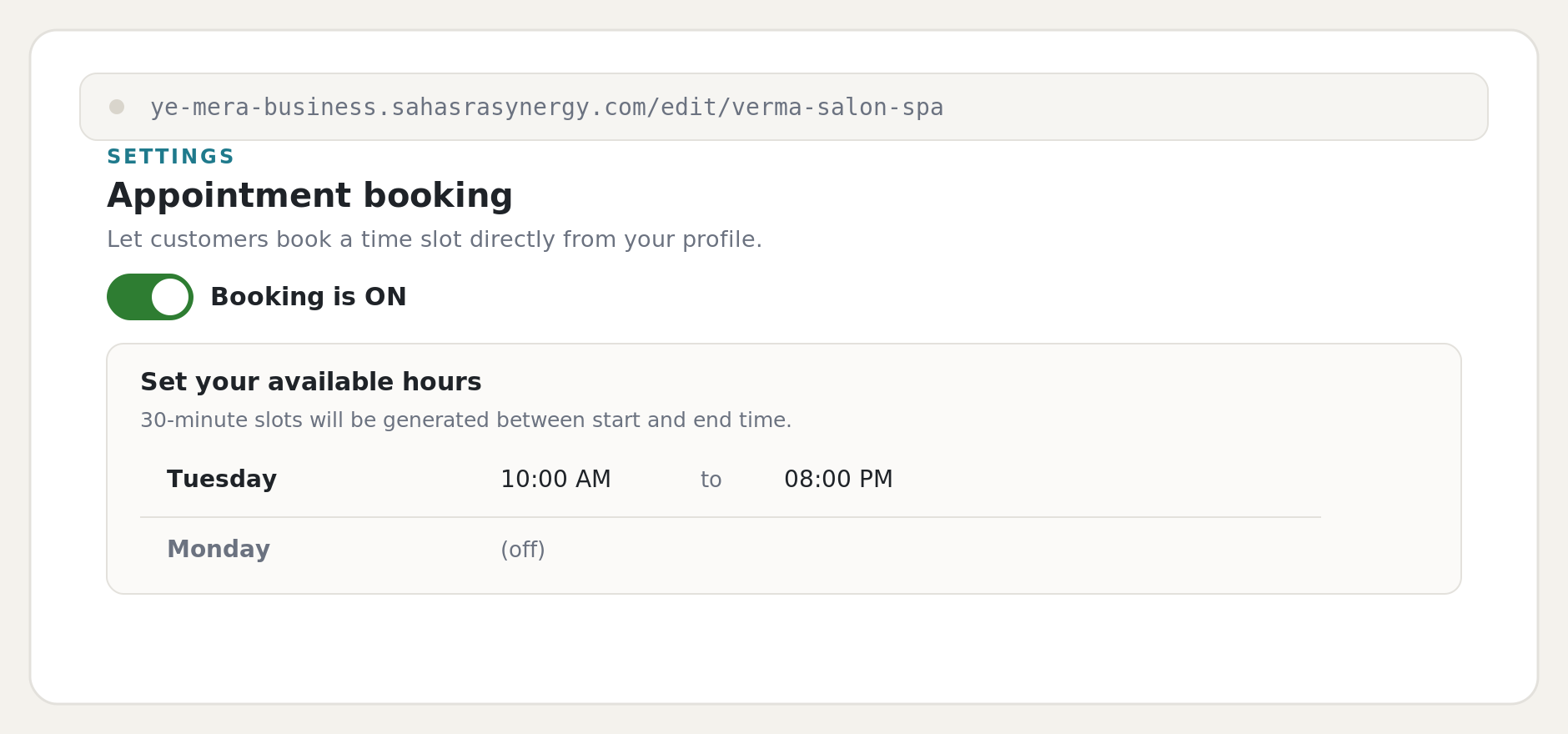
Switch booking on and customers can request appointments straight from your page. You choose which days you are open and your start and end times; the system automatically creates 30-minute slots between them. Every request arrives in your Inbox for you to confirm — ideal for any business run by appointment.
Billing
Your profile begins on a free 3-day trial of the plan you picked. The Billing section shows your plan and remaining trial days. When you are ready, you pay securely through Razorpay; GST is calculated automatically and you receive a proper GST invoice for your records.
Premium ✦
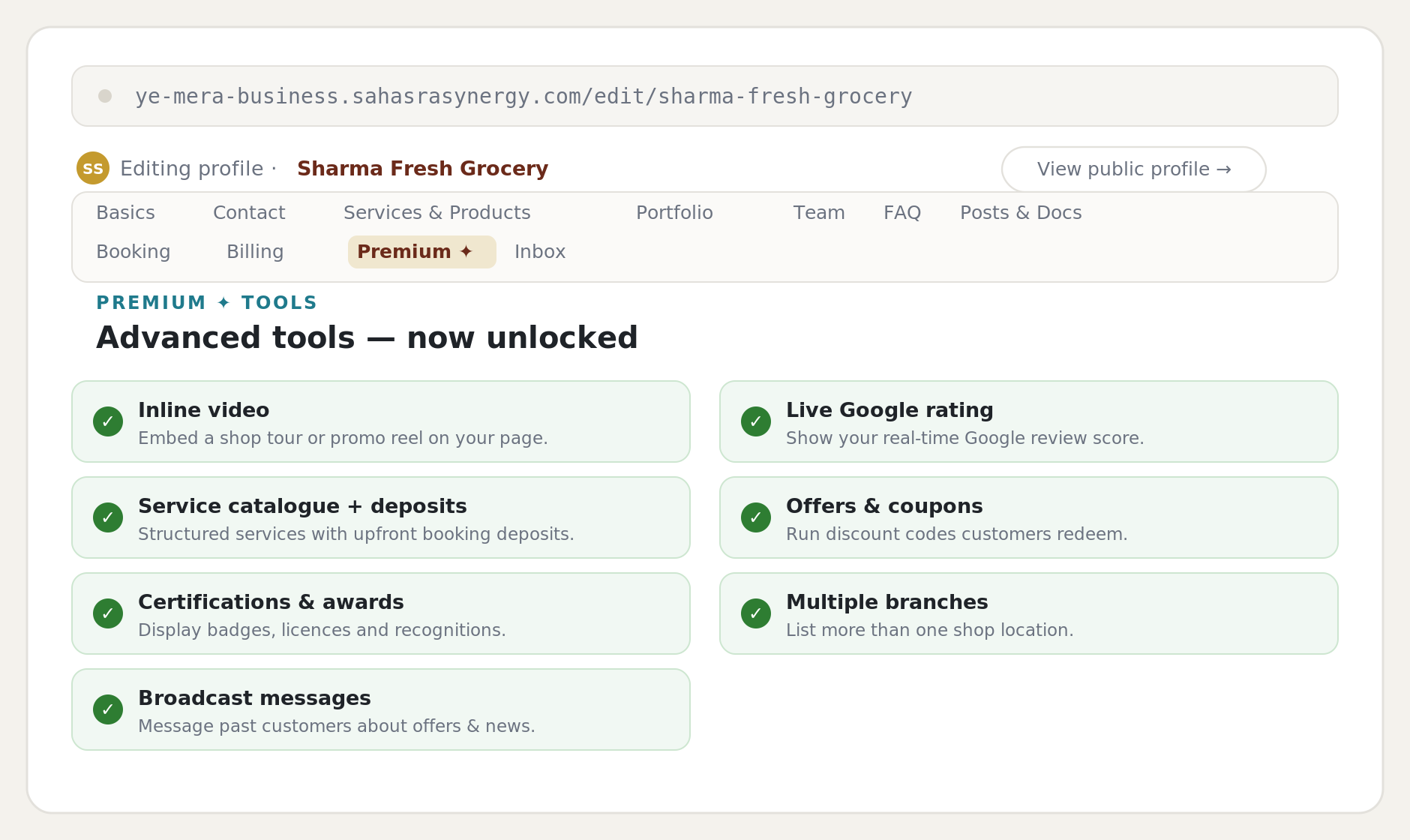
Premium unlocks a set of advanced tools that help you stand out and sell more: an inline video (a location tour or promo reel), a live Google review rating, a structured service catalogue with upfront deposits, certifications & awards, offers & coupons, multiple branch locations, and broadcast messages to reach past customers. On lower plans these appear but stay locked until you upgrade.
Inbox
This is where everything from your public page lands — appointment requests, customer enquiries (leads), and reviews. You can confirm or cancel appointments, and move each enquiry from "New" to "Contacted" to "Converted" as you follow up. You can also export your leads to CSV. The faster you respond here, the more enquiries turn into paying customers.
Your public profile and QR card
This is the page customers actually see — your name, photo, tagline, and description up top, with "Chat on WhatsApp" and "Call now" buttons front and centre. Below sit your services, products, portfolio, team, and FAQ, plus a digital business card with your QR code. Customers can scan it, save your contact, or share the link. Print the same QR on your visiting card or signage and you are reachable everywhere, instantly.
Walkthrough: create your Profile
We will build a complete profile from start to finish using a real example — Mehta Legal Services, owned by Ritu Mehta. Setup takes only a few minutes.
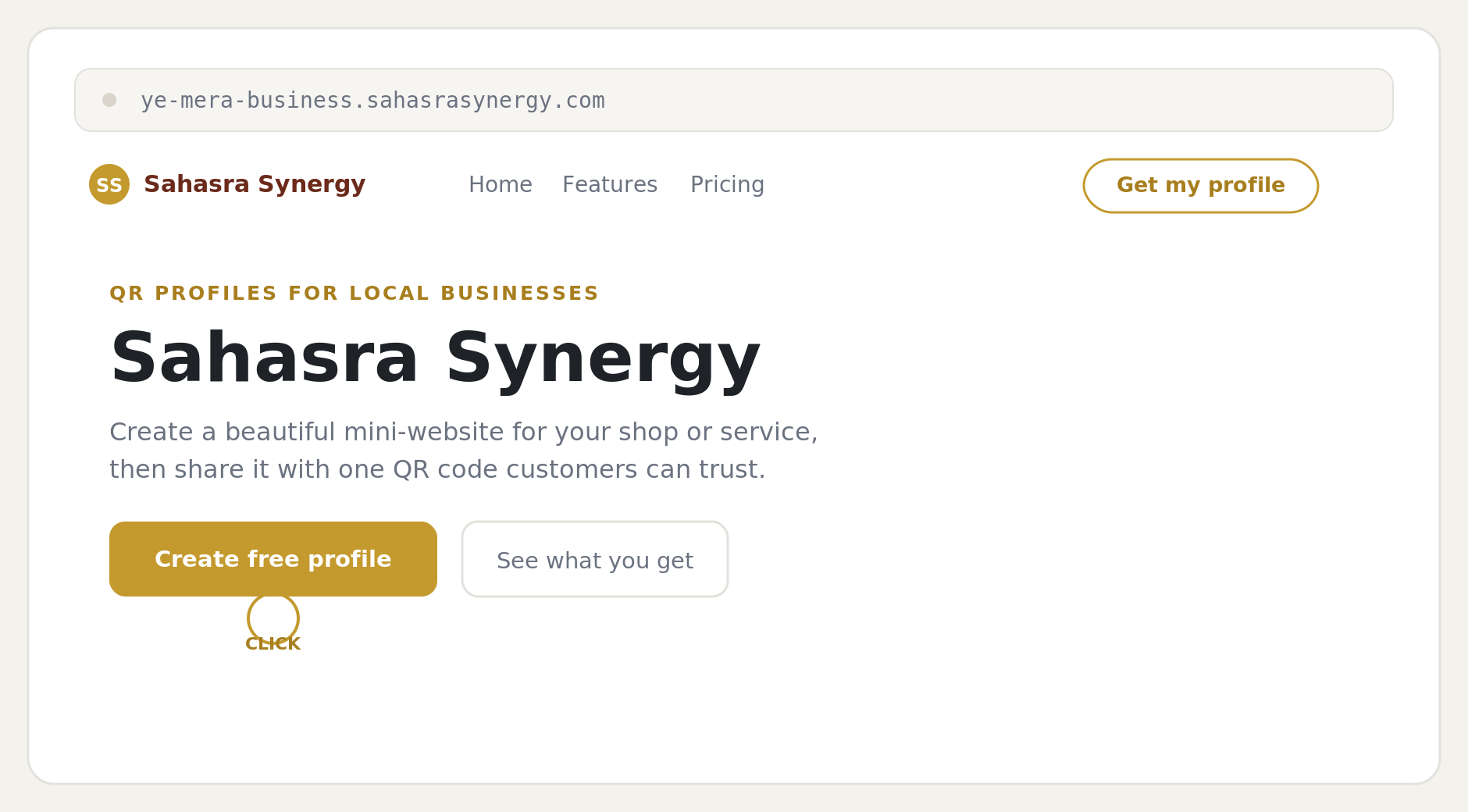
Open the site and start
Go to ye-mera-business.sahasrasynergy.com and click the gold Create free profile button. (The "Get my profile" button at the top-right does the same thing.) You land on the signup form with a plan already selected — Silver by default, or whichever plan you clicked through from the pricing page. After filling it in, your profile goes live immediately on a 3-day free trial of that plan — no payment yet.
Fill in your business identity
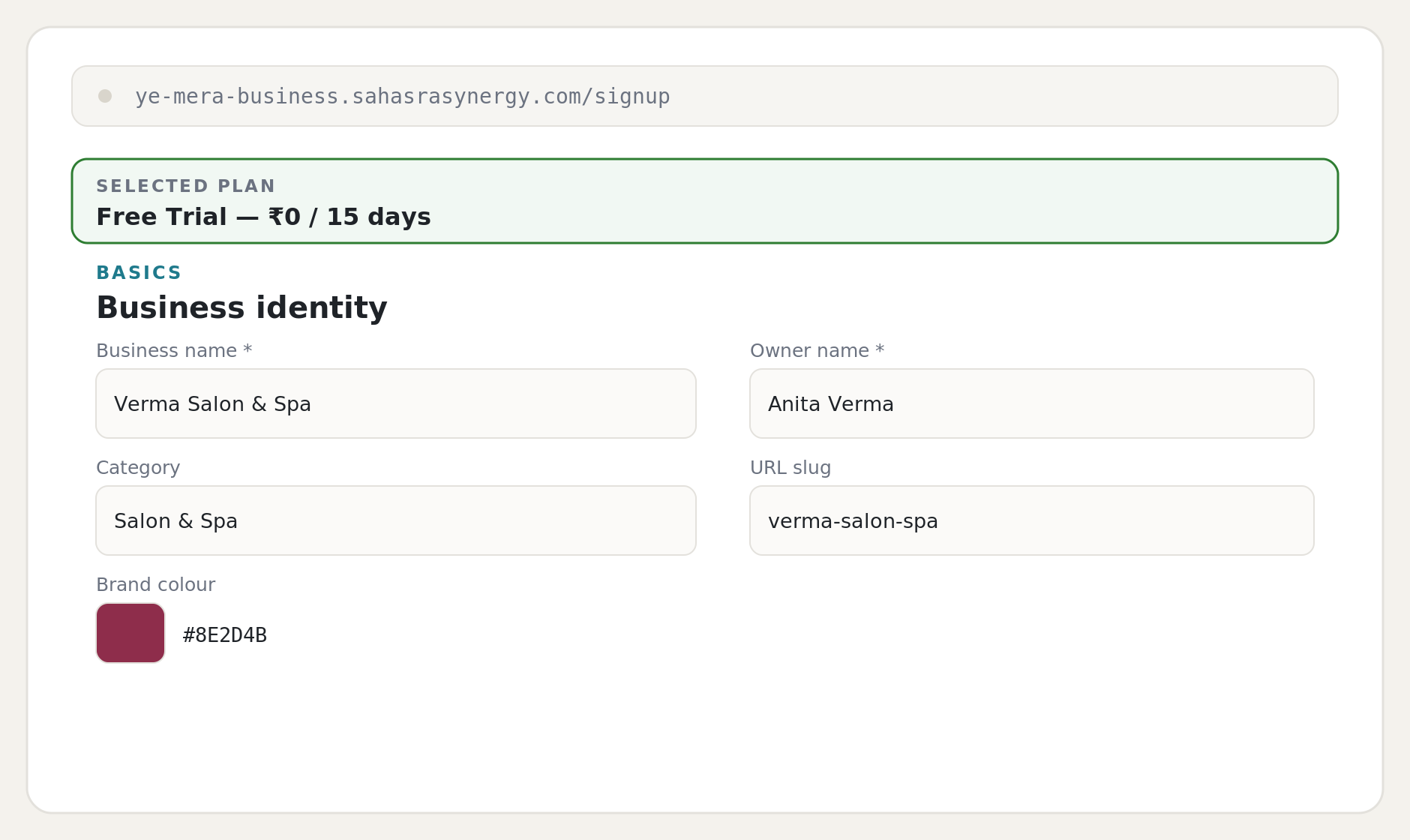
The signup form is a single page. In the Basics → Business identity block, only Business name and Owner name are required. Add a category and pick a brand color to match your business. You can leave the URL slug blank and it will generate automatically from your business name.
Add your contact details
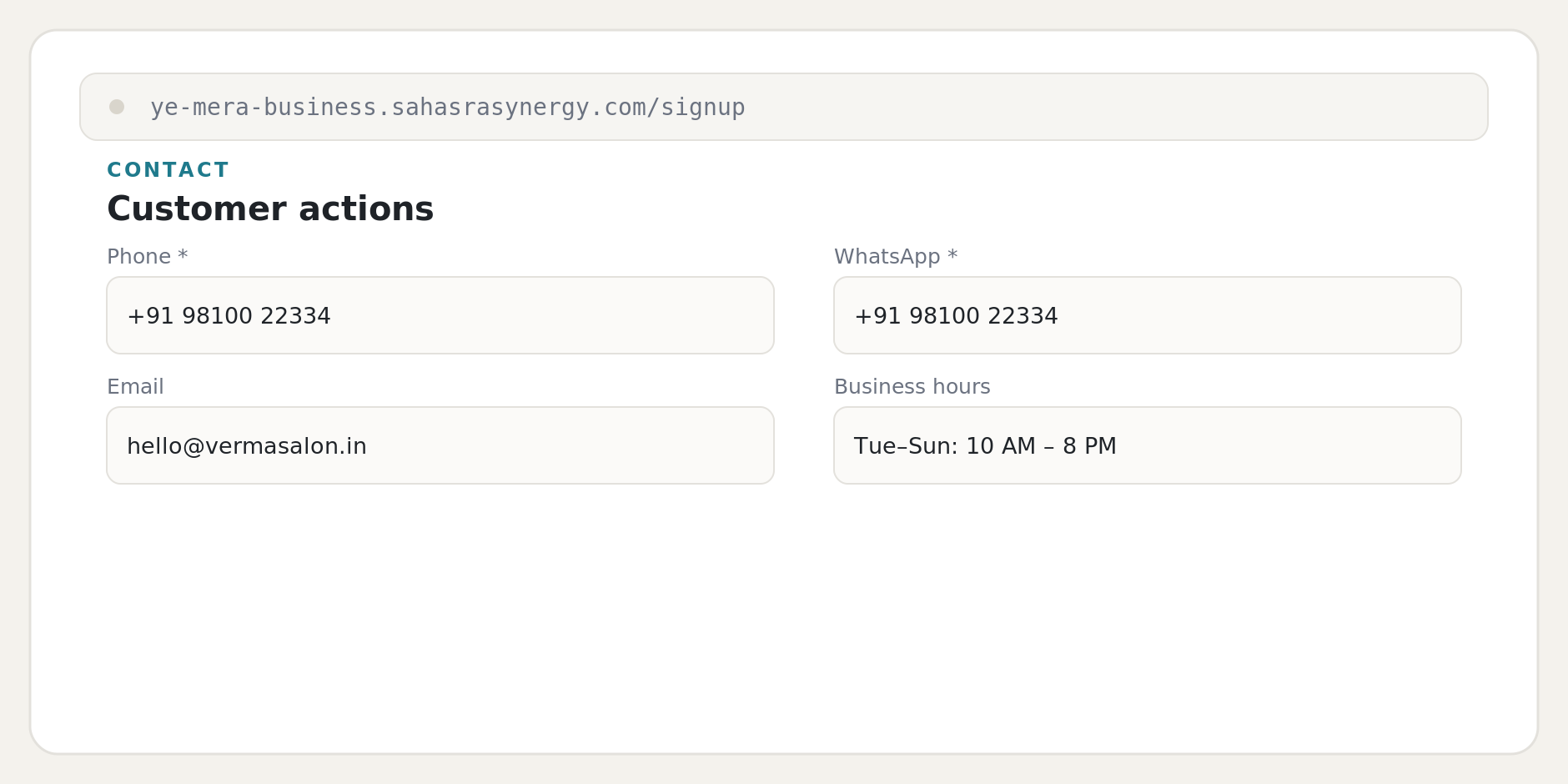
Scroll to Contact → Customer actions. Your Phone and WhatsApp numbers are required — they power the "Call now" and "Chat on WhatsApp" buttons. Include the country code in WhatsApp. Email and business hours are optional but helpful.
Add profile details and your photo
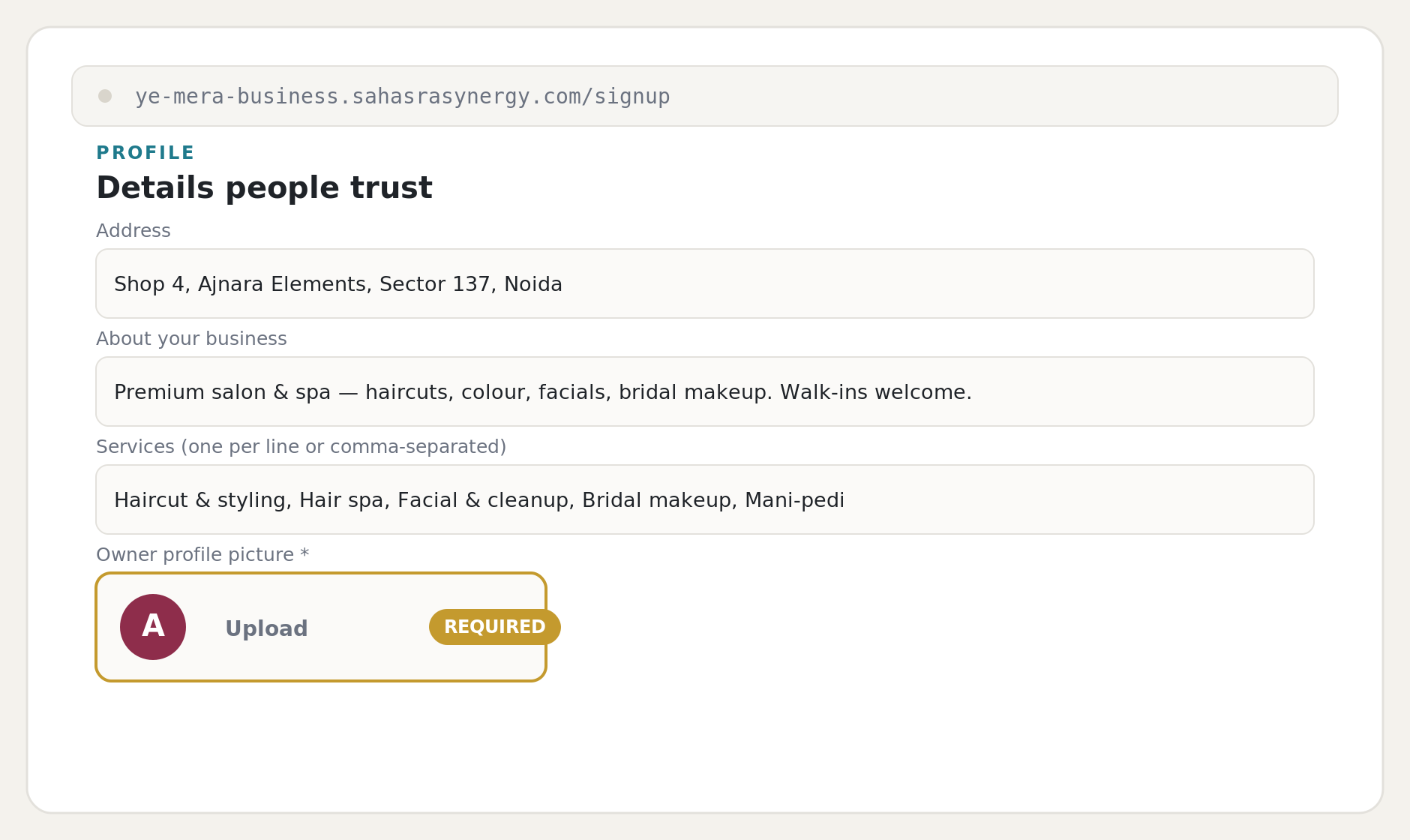
In Profile → Details people trust, add your address, a short "About" line, and your services. Then upload an owner photo — this is required, because a face is one of the strongest trust signals on your page.
Create the profile
Optionally set an announcement banner for a current offer, then scroll to the bottom and click Create profile →. The line beneath confirms it is free for 15 days, then ₹500/month or ₹5,000/year. You are taken straight to your edit dashboard.
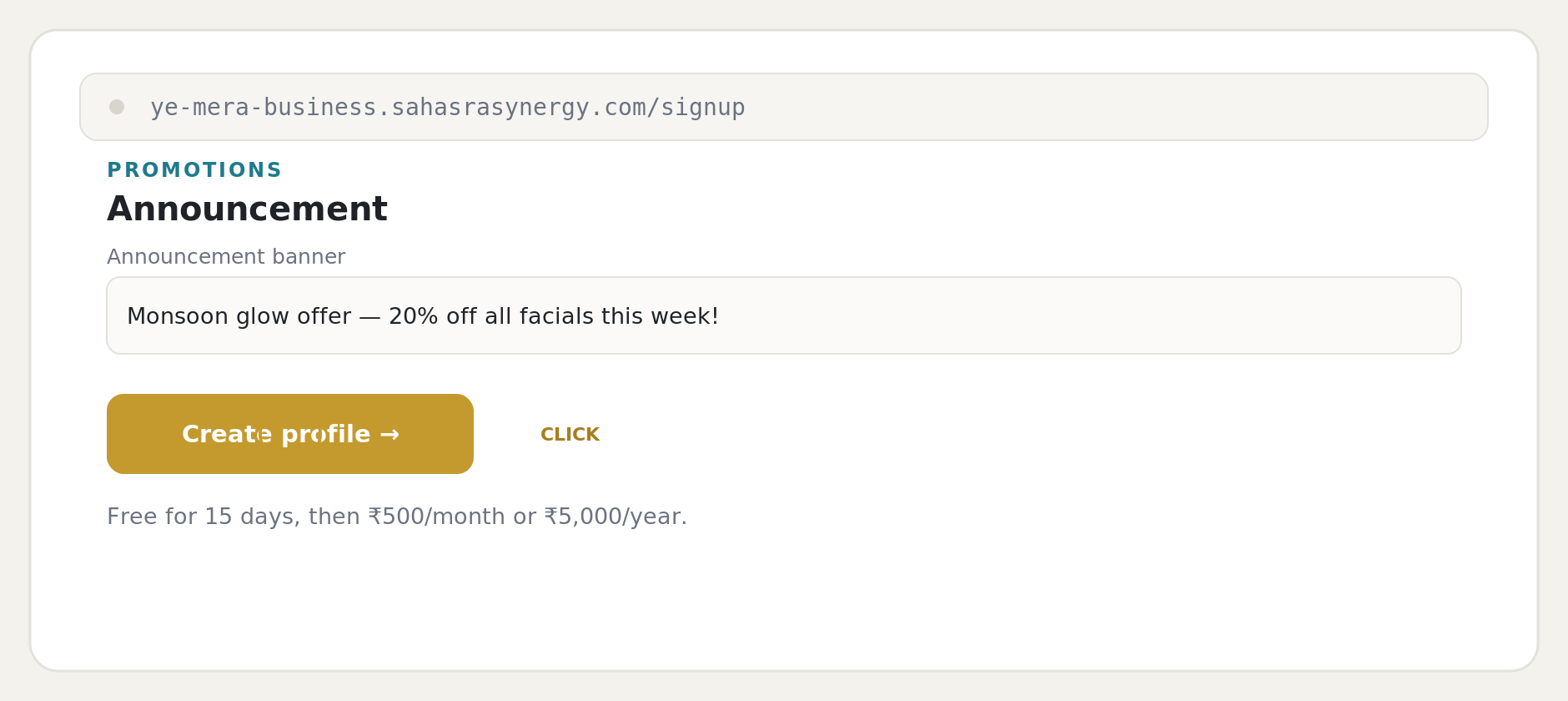
Meet your edit dashboard
This is your control centre. A row of tabs runs across the top — Basics, Contact, Services & Products, Portfolio, Team, FAQ, Posts & Docs, Booking, Billing, Premium, and Inbox. Each section has its own Save changes button, so always save before moving on. "View public profile →" opens your live page any time.
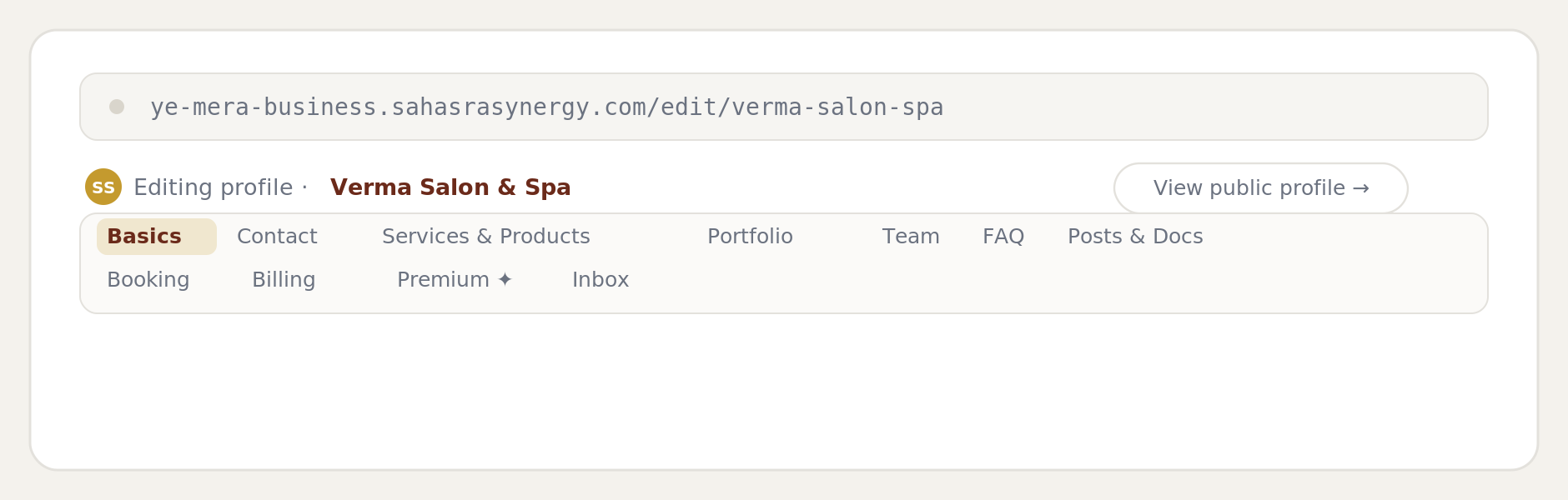
Add your services and products
Open Services & Products. Type your services (comma-separated) to create the "Our specializations" checklist. To add a priced item, fill in the product name, price, and a short description, then click + Add product. Repeat for each item and save.
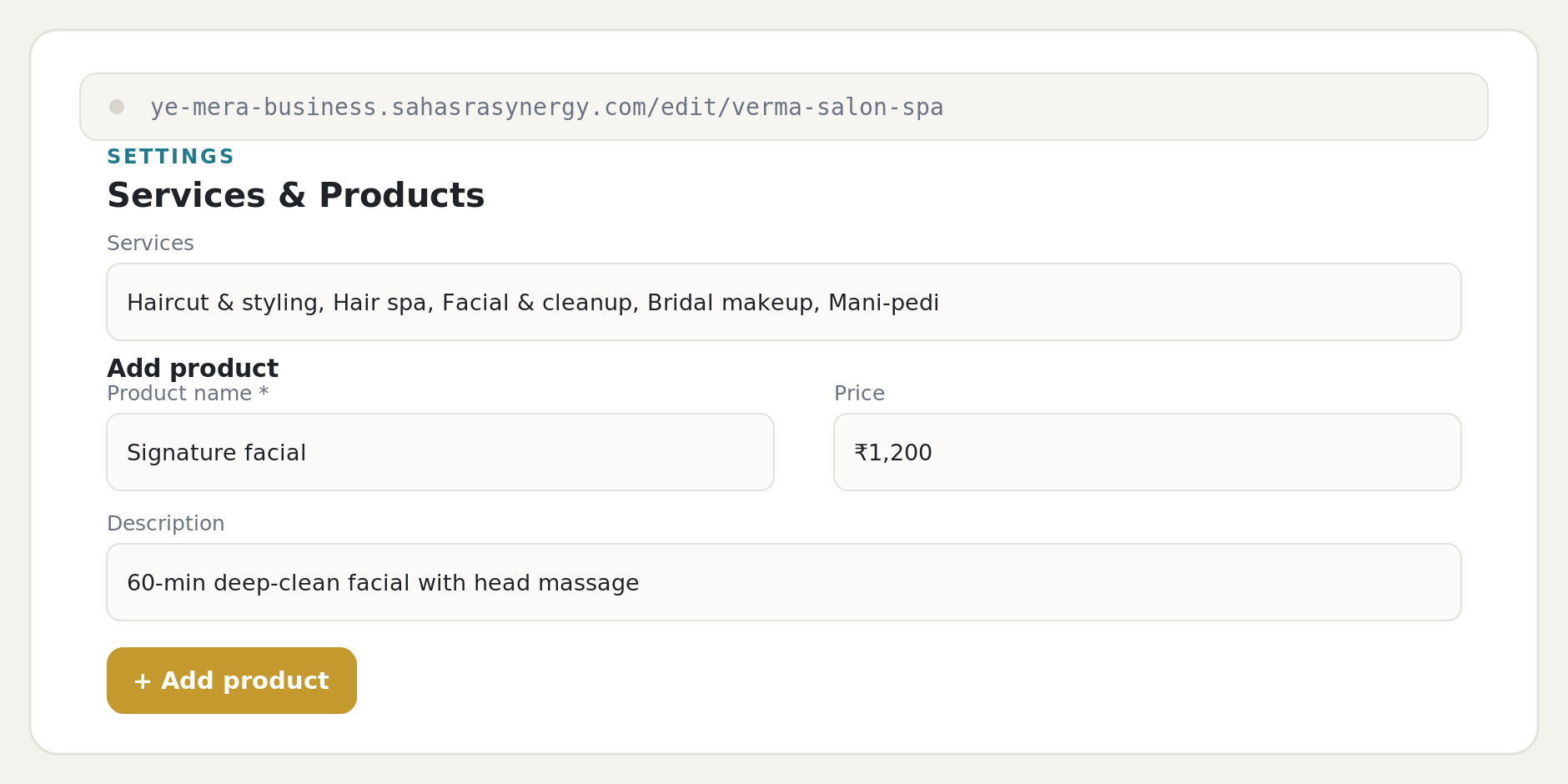
Turn on booking
In the Booking tab, switch Booking is ON. Enable each day you are open and set a start and end time — the system generates 30-minute slots automatically. Customers can now request a slot from your page, and each request lands in your Inbox.
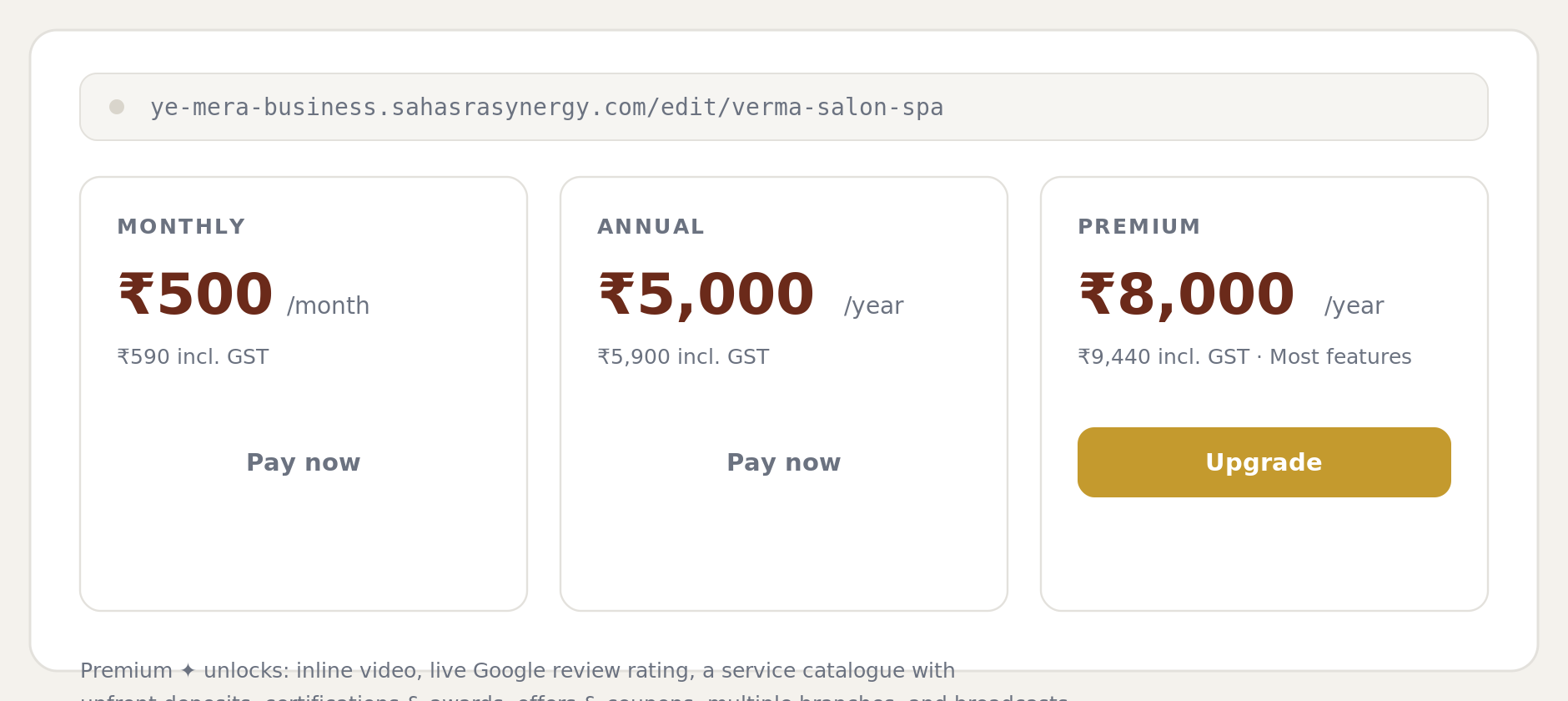
Pay when you're ready
The Billing tab shows your plan and remaining trial days. Pay any time during your 3-day trial (or right after it ends, within the grace period) to keep your profile live — your past invoices show up here too once you've paid.
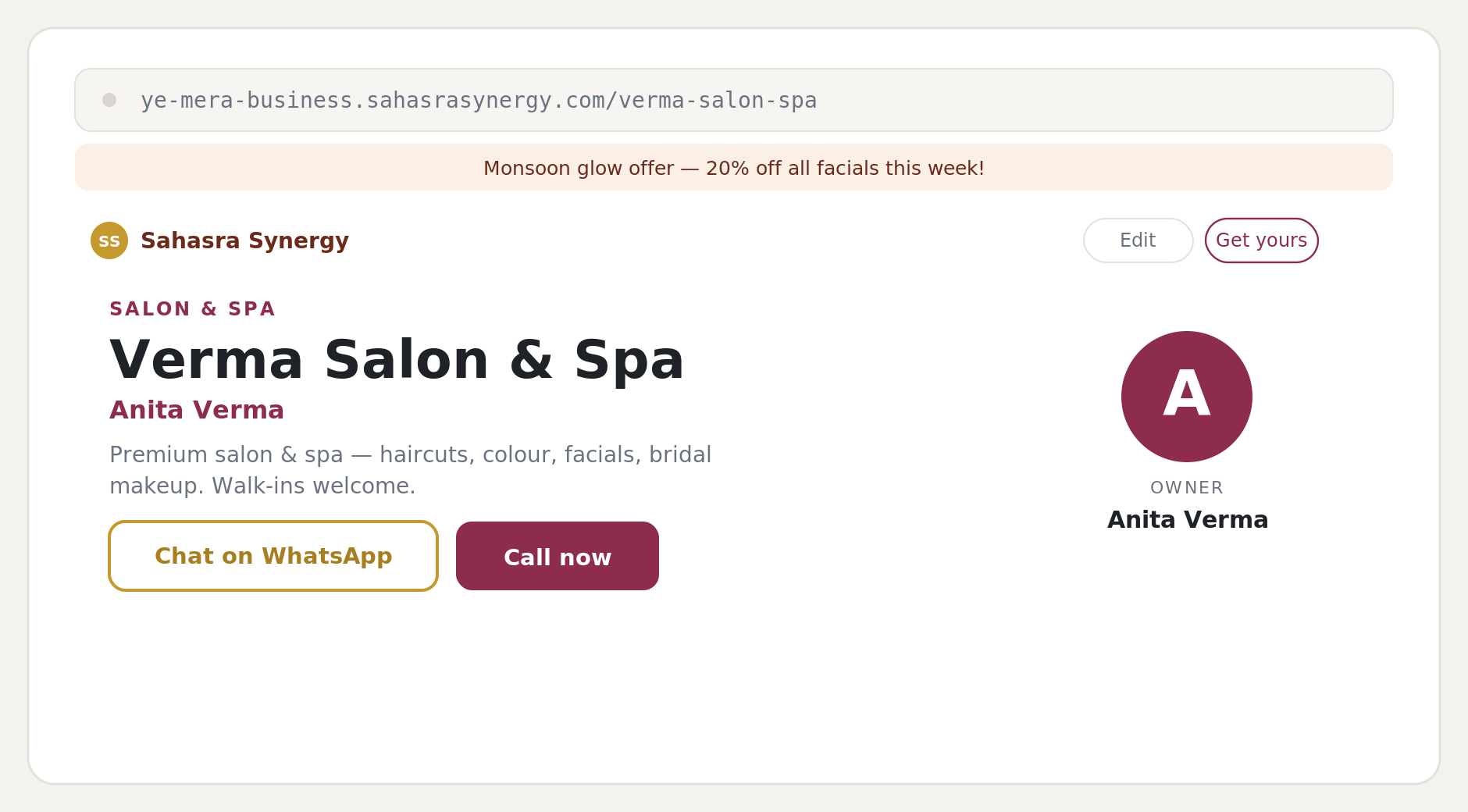
View your live public profile
Click View public profile →. This is exactly what customers see at your link — your banner, name, owner photo, description, and the "Chat on WhatsApp" and "Call now" buttons, with your services and QR card further down.
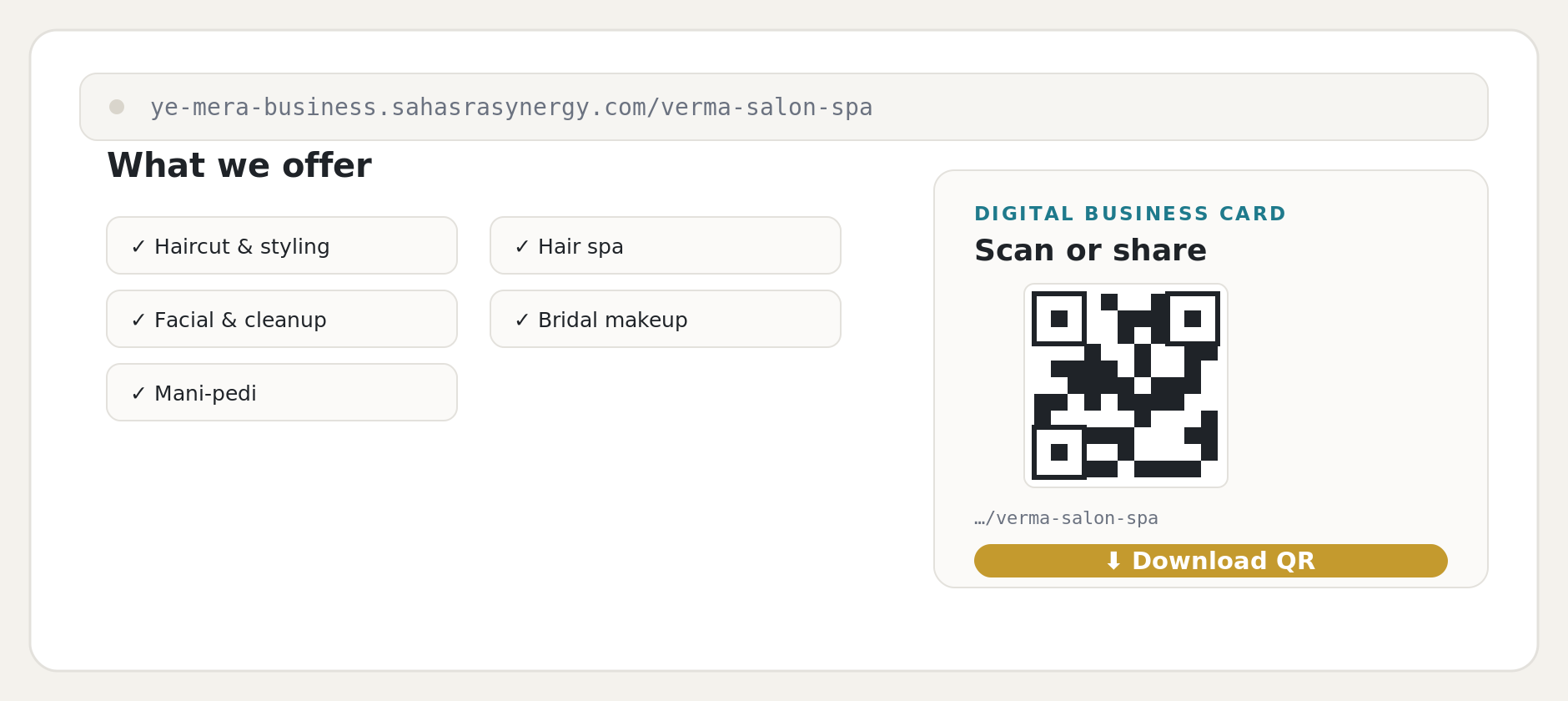
Download your QR and share it
Scroll to the Digital business card panel and click Download QR. Print it on your visiting card, signage, or packaging, and share the same link on WhatsApp and social media. A scan takes customers straight to your profile — and their reviews, bookings, and enquiries all arrive back in your Inbox.
Walkthrough: upgrade to a Premium Profile
Premium adds the tools that help an established business stand out and sell more. For this walkthrough we follow Kapoor Fitness Coaching, owned by Vikram Kapoor, as they upgrade from a standard profile to Premium.
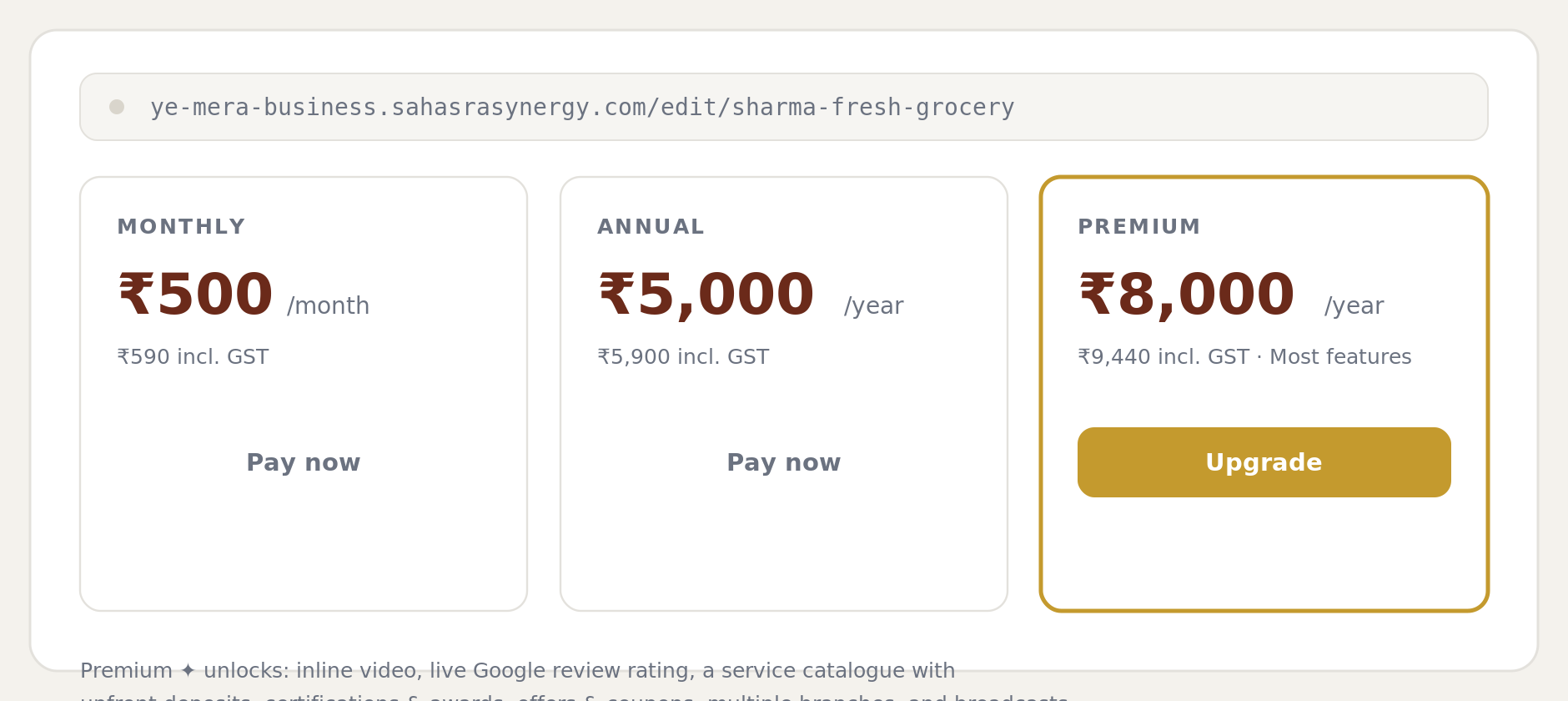
Open Billing and choose Royal Membership
From the dashboard, open the Billing tab and click Upgrade on the Royal Membership plan. Royal is ₹4,999/year (₹5,899 including GST) and unlocks the full set of advanced tools.
Complete secure payment
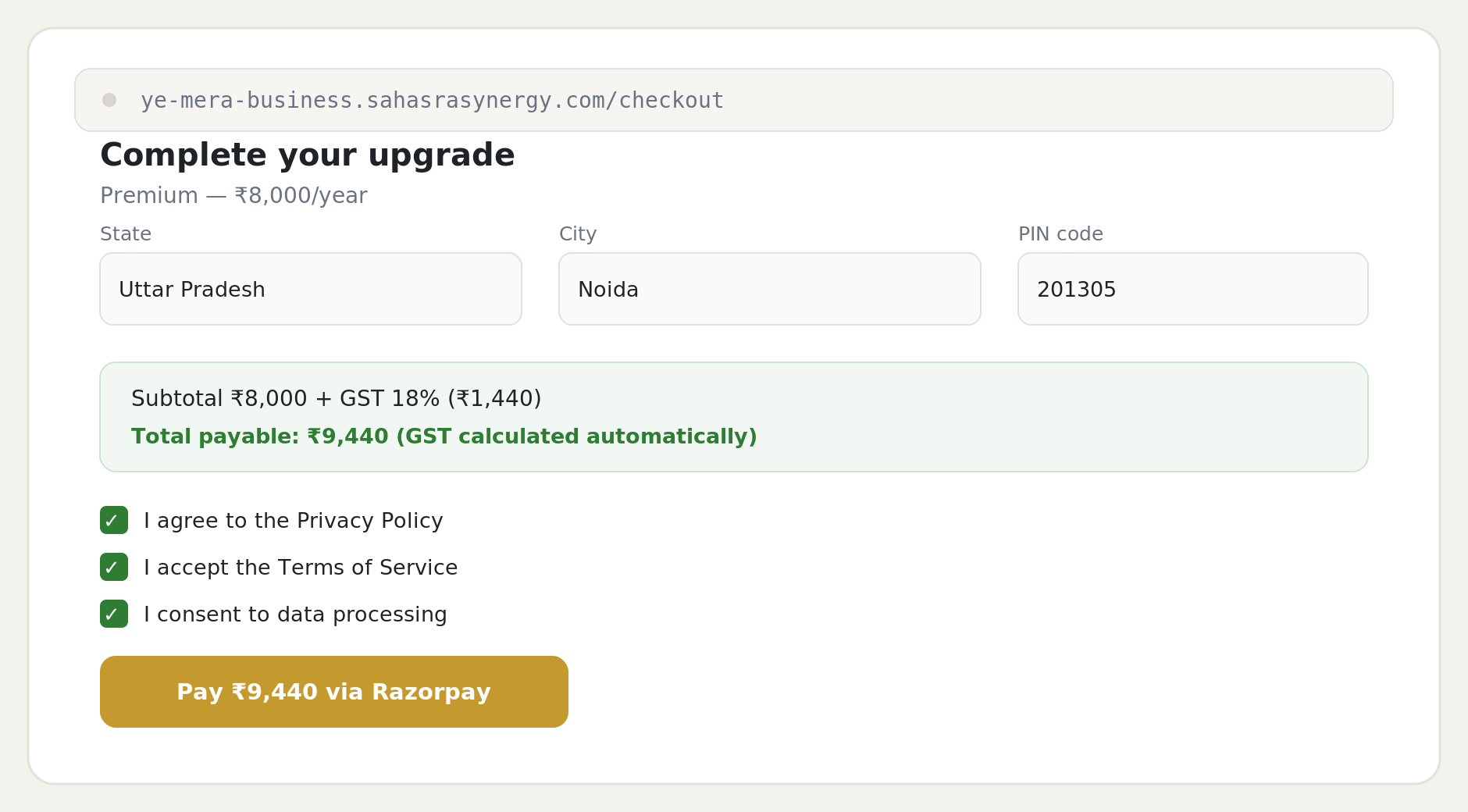
On the secure checkout, fill in your State, City, and PIN code — GST is calculated automatically. Tick the three consent boxes (Privacy Policy, Terms, and data processing), then pay through Razorpay. You receive a GST invoice afterwards for your records.
Explore your unlocked Premium tools
The Premium ✦ tab is now active. Here you can add an inline video, switch on your live Google rating, build a service catalogue with upfront deposits, list certifications and awards, create offers and coupons, add multiple branches, and broadcast messages to past customers.
See the difference on your public page
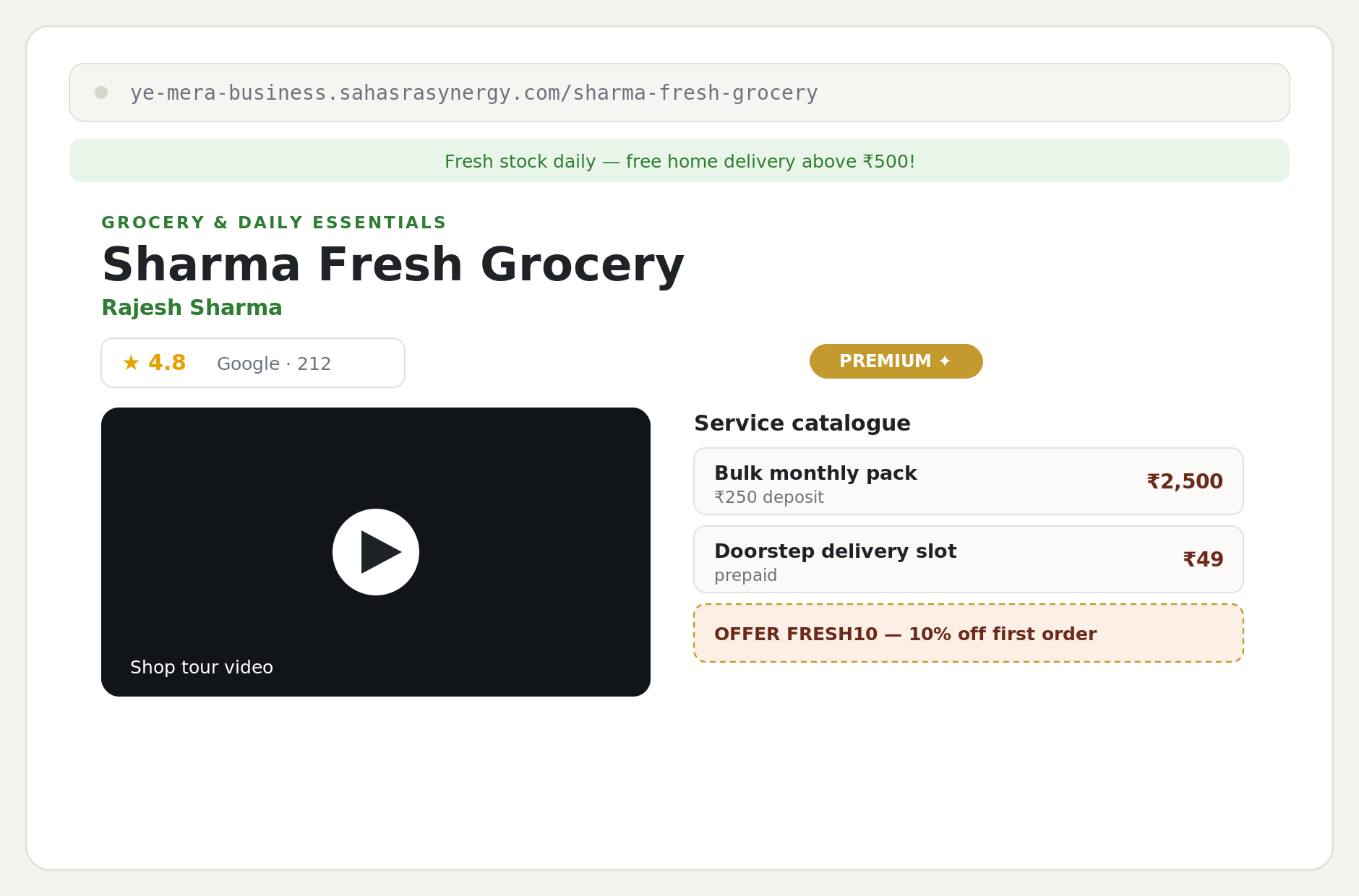
Your public profile now shows the Premium touches that build extra trust and drive sales — a location-tour video, your live Google review score, a structured service catalogue with deposits, and an offer coupon — all on the same clean page.
Premium ✦ unlocks
Inline video
Embed a location tour or promo reel on your page.
Live Google rating
Show your real-time Google review score.
Service catalogue + deposits
Structured services with upfront booking deposits.
Offers & coupons
Run discount codes customers redeem.
Certifications & awards
Display badges, licences, and recognitions.
Multiple branches
List more than one business location.
Broadcast messages
Message past customers about offers & news.
Plans and pricing
Every signup starts with a free 3-day trial of the plan you pick — no payment needed to build and preview your page on that plan's features. Pay before the trial ends to keep your profile live.
| Plan | What you pay | Total incl. 18% GST | Best for |
|---|---|---|---|
| Rajat — Silver Membership | ₹999 / year | ₹1,179 / year | Keeping a profile live year-round |
| Suvarna — Gold Membership | ₹2,499 / year | ₹2,949 / year | Steady savings vs. Silver |
| Rajsi — Royal Membership | ₹4,999 / year | ₹5,899 / year | Most features — video, Google rating, catalogue, offers, branches, broadcasts |
Payments are handled securely by Razorpay, and GST is calculated automatically at checkout. Keep the GST invoice you receive for your records.
Quick checklist to go live fast
- ✓Fill Basics and Contact, and save each section.
- ✓Add a few services and products.
- ✓Add Portfolio, Team, and FAQ if you have them.
- ✓Set an announcement banner and a post under Posts & Docs.
- ✓Turn on Booking and set your hours, if you take appointments.
- ✓Pay for your plan under Billing before your 3-day trial ends.
- ✓Download your QR, share your link, and check your Inbox daily.
Ready?
One profile, one link, one QR
Your business is reachable, credible, and ready to grow.
Create free profile